Calendly's mobile homepage can keep a new visitor waiting for the pitch
One leak stood out: on the mobile check, the main content took nearly 23 seconds to finish appearing while the page stayed too busy to respond for more than four seconds.
Owner brief
We checked Calendly's public homepage on desktop and mobile, tested the first 20 on-site links, and followed one safe outbound product link. The signup buttons were visible, but we did not create an account or submit a form.
We found one issue worth your attention. It sits on the first page a new visitor sees and can waste the moment when that person is ready to sign up.
We could not verify a current paid destination, so ad-to-page message match was not assessed. This finding applies to homepage traffic.
Highest-Priority Revenue Leaks
1. A phone visitor can wait nearly 23 seconds for the main content
The mobile visit downloaded 4.3 MB across 161 requests. The main visible content did not finish appearing for nearly 23 seconds. During that visit, the page was too busy to respond for more than four seconds.
Desktop was much quicker. Its main content appeared in about 4.6 seconds and the page could respond almost immediately. That gap matters because a mobile visitor may see a page that looks partly ready, tap a signup option, and get no response. Paid attention is easy to lose in that pause.
Start with the code loaded before the signup choices and booking demo. Remove or delay anything the first screen does not need. Then check the page on an ordinary phone connection after every homepage, consent, or tracking release. Watch both when the main content appears and when the signup choices can respond.
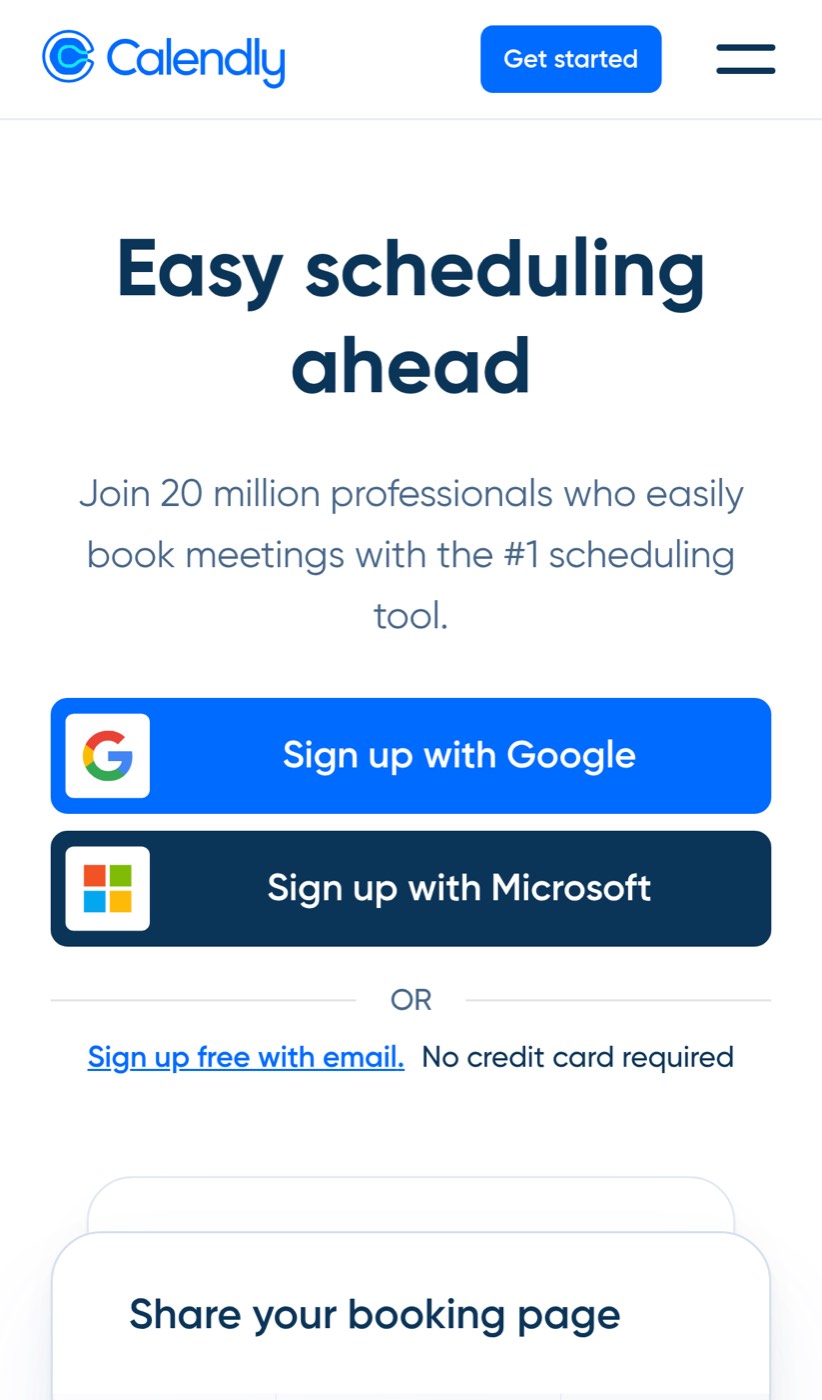
This verified mobile capture shows the exact first screen we measured, including the promise and all three signup routes.
What we checked
Funnel depth tested: the public homepage on desktop and mobile, the first 20 on-site links, and one outbound Calendly for Outlook listing reached from the site. All 20 checked on-site links responded normally. The page kept the test campaign details in its address, and no failed tracking requests or browser errors appeared during the check.
The desktop overview below shows the same homepage with its signup choices and booking-page example.

We did not select a signup provider, enter an email, submit a form, create an account, test onboarding, reach billing, attempt payment, check a confirmation, or review a follow-up email. The sales-contact route and scheduling flow were not tested.
The first fix
Make the mobile signup choices responsive sooner. A visitor should be able to act as soon as the promise and buttons appear, not several seconds later.
Keep the signup path fast
This problem can return when the homepage, consent settings, tracking tags, or signup code changes. FunnelWatch can keep checking the route from first visit to signup and flag the release that makes a phone visitor wait.