Brooklinen paid funnel check
A current Shop Now ad sends shoppers straight to the Classic Percale bundle. The destination is relevant. The trouble starts after the click: phone shoppers meet a large cookie panel, then wait far too long for the product page to finish its main job.
Owner brief
We checked five current public ads and followed the "Get the Look" ad to its exact product page. Two leaks stood out. Both sit between paid attention and the product decision, where even a strong offer can lose impatient shoppers.
Paid ad problems
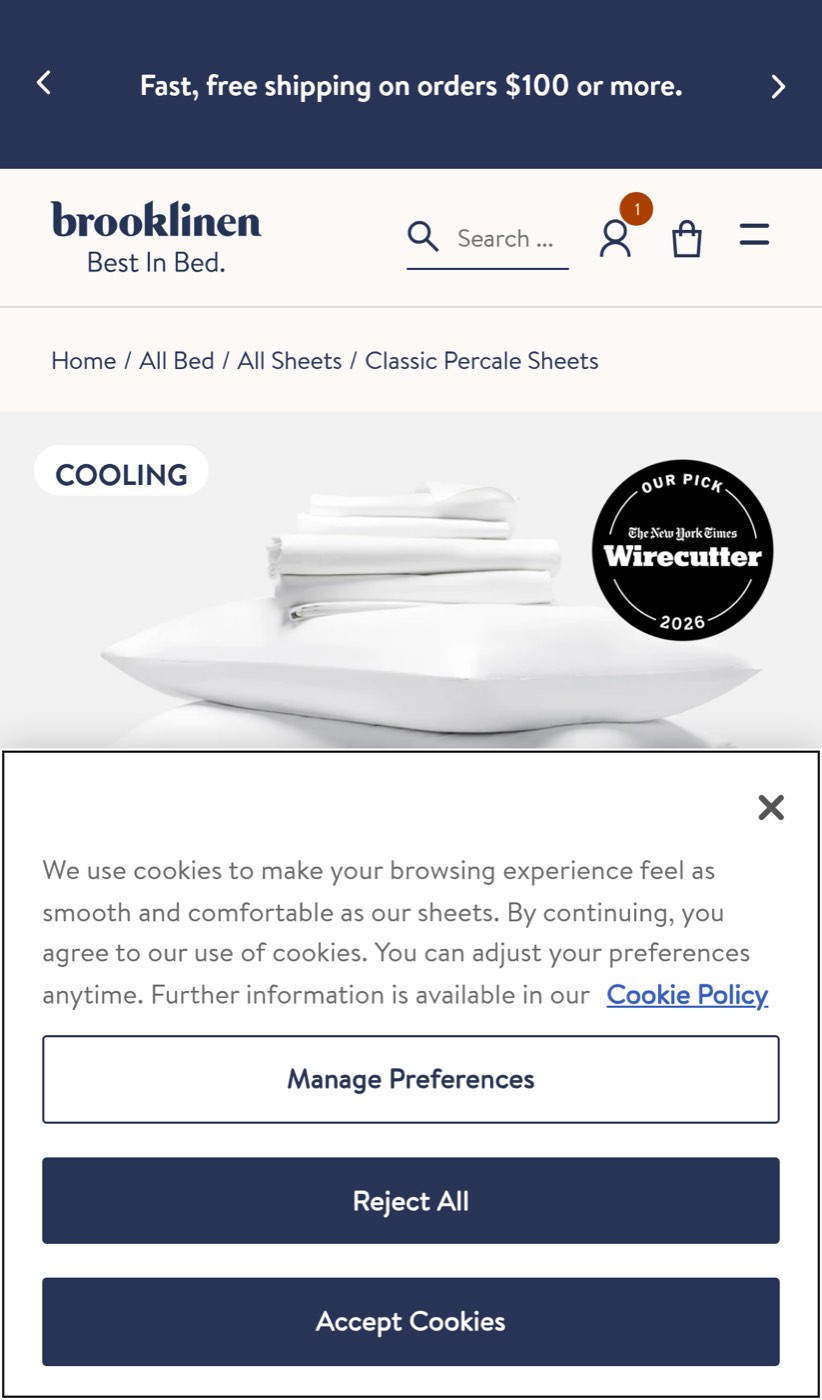
The cookie panel gets the first mobile screen. The offer does not.
On a fresh phone visit, the cookie panel covers roughly half the screen. The product title, 30% bundle saving, size choices, and Add to Cart action are all below it. A shopper who clicked "Shop Now" has to deal with privacy controls before seeing what the bundle costs or how to buy it.
That interruption matters because the ad has already created intent. Every extra decision gives the shopper another reason to leave. On mobile, this one arrives before the product decision even begins.
First, shrink the mobile panel and keep a clear consent choice without pushing the product details out of view. Then watch fresh visits after every privacy or theme change. The check should confirm that the title, offer, and buying controls remain visible without closing an overlay.
Phone shoppers can wait more than 46 seconds for the main product content
In our controlled mobile visit, the main product content took 46.4 seconds to appear. The same page took 12.8 seconds on desktop. The phone loaded about 12 MB through 955 separate requests, while the browser spent more than 31 seconds processing the page.
A shopper should not need that kind of patience after clicking an ad. The product page is asking a phone to do too much before it can present the item people came to see. Slow loads can turn paid visits into back-button taps, especially for shoppers on ordinary mobile connections.
Start with the product-page scripts and outside services that run before the main image and offer. Delay anything that is not needed for the first purchase decision. Keep checking the exact paid destination on a phone profile, and alert when the main product content slips beyond a practical buying window.
What is working
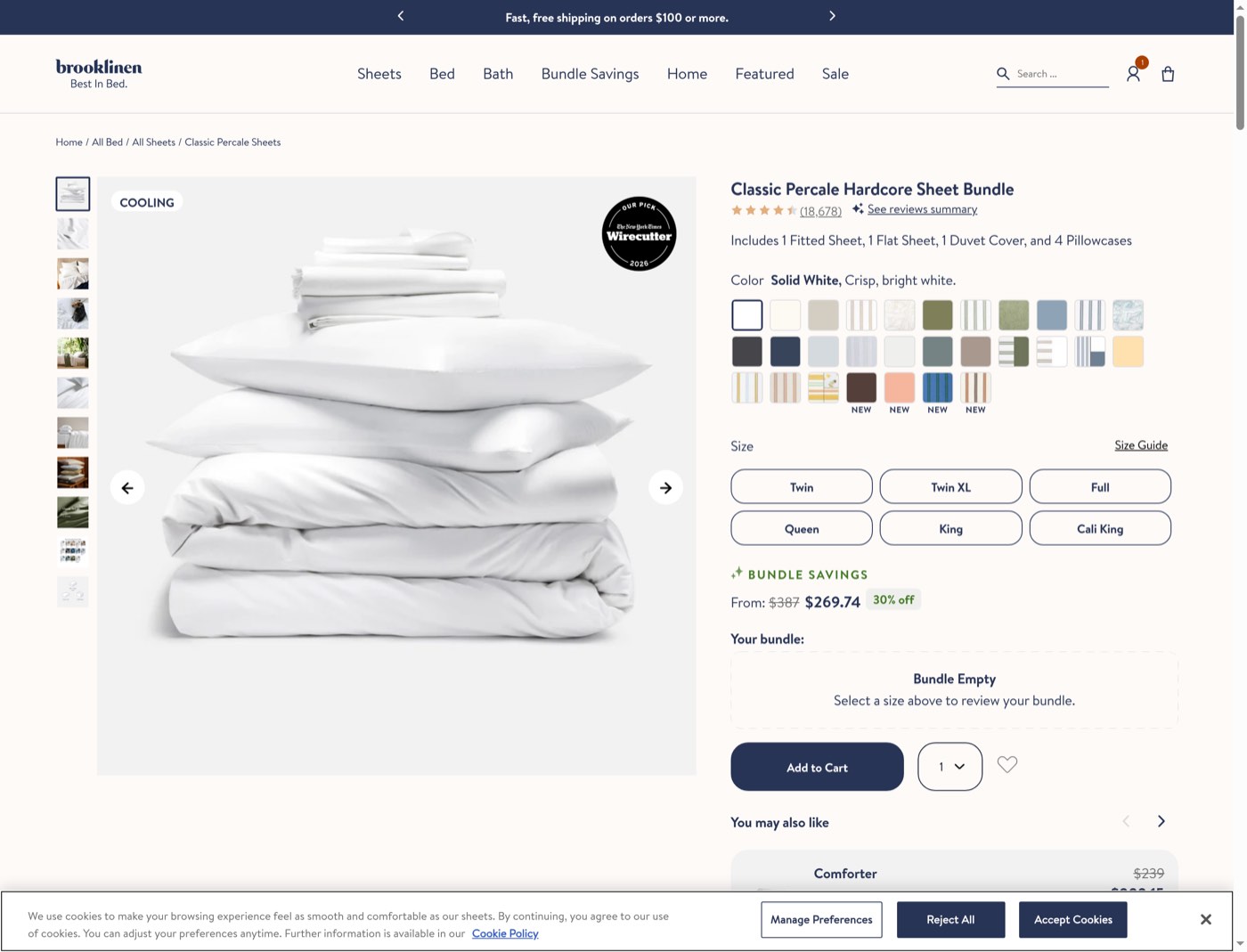
The ad does reach a specific, relevant product page rather than dropping shoppers on a broad homepage. On desktop, the page clearly shows the bundle, its 30% saving, size choices, review volume, and product photography. That is a solid handoff worth protecting.
Scope of this check
Funnel depth tested: current public ad to the Classic Percale Hardcore Sheet Bundle page on desktop and mobile. The product, offer, size choices, and Add to Cart control were displayed. No size was selected. No item was added. Cart, checkout, personal details, payment, confirmation, and order email were not tested.
Keep paid clicks from going quiet
These leaks can return when privacy settings, theme code, product media, apps, or ad destinations change. That is what makes them expensive: the campaign can keep spending while the buying path quietly gets harder.
FunnelWatch can keep checking this exact route, on desktop and mobile, and flag the moment an overlay hides the offer or the product slows down again.